×+
Notes
Friday, November 14, 2026 at 9:41 AM
Ship the Dock.
- Magnification, smooth curve
- Live thumbnails when minimized
- Taskbar always comes back
- 0% CPU when idle
- Publish v0.1
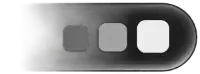 now on Windows.
Muelle replaces the Windows taskbar with a glass dock: icons grow under your cursor and windows fold into the dock with the Genie effect. Free, open source and light.
Notes
Friday, November 14, 2026 at 9:41 AM
The Dock
Your apps, your files and your open windows, in one glass shelf at the bottom of the screen. Every part of it works like you expect from a Mac.
StartThe Windows Start menu, always first

Pinned appsDrag to reorder. A dot marks the open ones



Recent appsThe last three you used

DownloadsDrop files straight in
MinimizedOptional live thumbnails of minimized windows

Recycle BinDrop files to delete them
AI usage
Muelle shows available limits for Claude Code, Codex, GitHub Copilot, Cursor, OpenCode Go, and Gemini CLI or Antigravity. Gemini Pro and Flash quotas appear separately when available.

 46%
 28%

Claude Code5 h · 46%

Codex5 h · 28%
Settings
A real settings window, in English or Spanish. Every change reaches the dock the moment you make it. Try it here.
Dock




Reversible
Muelle hides the Windows taskbar while it runs and gives it back the moment it stops. Flip the switch and see.

The Windows taskbar is showing.
Right-click the dock and choose Quit Muelle. The taskbar is back at once.
A tiny guardian process watches the dock and restores the taskbar if it ever stops.
Windows Settings → Apps → Muelle. Windows is left exactly as it was.
Free code signing provided by SignPath.io, certificate by SignPath Foundation. Code signing policy · Privacy
Needs Windows 10 (1903+) or 11, Rust (MSVC) and the Visual Studio C++ build tools.
> git clone https://github.com/crafter-station/Muelle
> cd Muelle
> cargo run --release -p muelle